Showing posts with label OpenCV. Show all posts

Monday, December 28, 2015

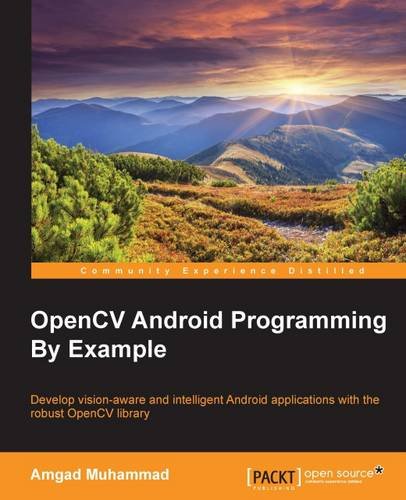
OpenCV Android Programming By Example

Develop vision-aware and intelligent Android applications with the robust OpenCV library

OpenCV Android Programming By Example

About This Book
  • This is the most up-to-date book on OpenCV Android programming on the market at the moment. There is no direct competition for our title.
  • Based on a technology that is increasing in popularity, proven by activity in forums related to this topic.
  • This book uniquely covers applications such as the Panoramic viewer and Automatic Selfie, among others.
Who This Book Is For
If you are an Android developer and want to know how to implement vision-aware applications using OpenCV, then this book is definitely for you.

It would be very helpful if you understand the basics of image processing and computer vision, but no prior experience is required

What You Will Learn
  • Identify and install all the elements needed to start building vision-aware Android applications
  • Explore image representation, colored and gray scale
  • Recognize and apply convolution operations and filtering to deal with noisy data
  • Use different shape analysis techniques
  • Extract and identify interest points in an image
  • Understand and perform object detection
  • Run native computer vision algorithms and gain performance boosts
In Detail
Starting from the basics of computer vision and OpenCV, we'll take you all the way to creating exciting applications. You will discover that, though computer vision is a challenging subject, the ideas and algorithms used are simple and intuitive, and you will appreciate the abstraction layer that OpenCV uses to do the heavy lifting for you. Packed with many examples, the book will help you understand the main data structures used within OpenCV, and how you can use them to gain performance boosts. Next we will discuss and use several image processing algorithms such as histogram equalization, filters, and color space conversion. You then will learn about image gradients and how they are used in many shape analysis techniques such as edge detection, Hough Line Transform, and Hough Circle Transform. In addition to using shape analysis to find things in images, you will learn how to describe objects in images in a more robust way using different feature detectors and descriptors.

By the end of this book, you will be able to make intelligent decisions using the famous Adaboost learning algorithm.

Style and approach
An easy-to-follow tutorial packed with hands-on examples. Each topic is explained and placed in context, and the book supplies full details of the concepts used for added proficiency.

Saturday, September 12, 2015

Mastering OpenCV Android Application Programming

Master the art of implementing computer vision algorithms on Android platforms to build robust and efficient applications

Mastering OpenCV Android Application Programming

About This Book
  • Understand and utilise the features of OpenCV, Android SDK, and OpenGL
  • Detect and track specific objects in a video using Optical Flow and Lucas Kanade Tracker
  • An advanced guide full of real-world examples, helping you to build smart OpenCV Android applications
Who This Book Is For
If you are a Java and Android developer looking to enhance your skills by learning the latest features of OpenCV Android application programming, then this book is for you.

What You Will Learn
  • Understand image processing using OpenCV
  • Detect specific objects in an image or video using various state-of-the-art feature-matching algorithms such as SIFT, SURF, and ORB
  • Perform image transformations such as changing color, space, resizing, applying filters like Gaussian blur, and likes
  • Use mobile phone cameras to interact with the real world
  • Explore face detection, object detection, and image stitching in OpenCV Android programming
  • Build smarter applications by using machine learning algorithms
  • Learn to debug applications and create optimal custom algorithms by understanding how data is stored internally
In Detail
OpenCV is a famous computer vision library, used to analyze and transform copious amounts of image data, even in real time and on a mobile device.

This book focuses on leveraging mobile platforms to build interactive and useful applications. The book starts off with an introduction to OpenCV and Android and how they interact with each other using OpenCV's Java API. You'll also discover basic image processing techniques such as erosion and dilation of images, before walking through how to build more complex applications, such as object detection, image stitching, and face detection. As you progress, you will be introduced to OpenCV's machine learning framework, enabling you to make your applications smarter.

The book ends with a short chapter covering useful Android tips and tricks and some common errors and solutions that people might face while building an application. By the end of the book, readers will have gained more expertise in building their own OpenCV projects for the Android platform and integrating OpenCV application programming into existing projects.

Saturday, August 15, 2015

Android Application Programming with OpenCV 3

Build Android apps to capture, manipulate, and track objects in 2D and 3D

Android Application Programming with OpenCV 3

About This Book
  • Capture and display real-time videos and still images
  • Manipulate image data using OpenCV and Apache Commons Math
  • A step-by-step guide to building Android and CV applications
Who This Book Is For
If you are a Java developer who is new to computer vision and would like to learn through application development, then this book is for you. You are expected to have a mobile device running Android 2.2 (Froyo) or greater, including a camera. Experience in Java is a must.

What You Will Learn
  • Install OpenCV and an Android development environment on Windows, Mac, or Linux
  • Control a camera and use its perspective in augmented reality
  • Share photos with other apps via Android's MediaStore and Intent classes
  • Create GUIs and handle events using Android activities and OpenCV
  • Train an image recognizer that can locate famous paintings in a scene
  • Apply "curves" and other color transformations to simulate the look of old photos
  • Apply convolution filters that sharpen, blur, emboss, or darken the details of an image
In Detail
Android Application Programming with OpenCV 3 is a practical, hands-on guide to computer vision and mobile app development. It shows how to capture, manipulate, and analyze images while building an application that combines photography and augmented reality. To help the reader become a well-rounded developer, the book covers OpenCV (a computer vision library), Android SDK (a mobile app framework), OpenGL ES (a 3D graphics framework), and even JNI (a Java/C++ interoperability layer).

Now in its second edition, the book offers thoroughly reviewed code, instructions, and explanations. It is fully updated to support OpenCV 3 and Android 5, as well as earlier versions. Although it focuses on OpenCV's Java bindings, this edition adds an extensive chapter on JNI and C++, so that the reader is well primed to use OpenCV in other environments.

Saturday, March 1, 2014

Android Application Programming with OpenCV

Android Application Programming with OpenCV

Overview
  • Set up OpenCV and an Android development environment on Windows, Mac, or Linux
  • Capture and display real-time videos and still images
  • Manipulate image data using OpenCV and Apache Commons Math
  • Track objects and render 2D and 3D graphics on top of them
  • Create a photo-capture and photo-sharing app that supports a variety of filters with a real-time preview feature
In Detail
Take a smartphone from your pocket, and within a few seconds, you can snap a photo, manipulate it, and share it with the world. You have just achieved mass production of image data. With a computer vision library such as OpenCV, you can analyze and transform copious amounts of image data in real time on a mobile device. The upshot to this is that you, as developers, can provide mobile users with many new kinds of images, constantly highlighting certain visual features that are of artistic or practical interest. Android is a convenient platform for such experiments because it uses a high-level language (Java), it provides standardized interfaces for sharing image data between applications, and it is mostly open source, so everyone can study its implementation.
Android Application Programming with OpenCV is a practical, hands-on guide that covers the fundamental tasks of computer vision—capturing, filtering, and analyzing images-with step-by-step instructions for writing both an application and reusable library classes.
Android Application Programming with OpenCV looks at OpenCV's Java bindings for Android and dispels mysteries such as which version of these bindings to use, how to integrate with standard Android functionality for layout, event handling, and data sharing, and how to integrate with OpenGL for rendering. By following the clear, concise, and modular examples provided in this book, you will develop an application that previews, captures, and shares photos with special effects based on color manipulation, edge detection, image tracking, and 3D rendering.Beneath the application layer, you will develop a small but extensible library that you can reuse in your future projects. This library will include filters for selectively modifying an image based on edge detection, 2D and 3D image trackers, and adapters to convert the Android system's camera specifications into OpenCV and OpenGL projection matrices. If you want a quick start in computer vision for Android, then this is the book for you.
By the end of Android Application Programming with OpenCV, you will have developed a computer vision application that integrates OpenCV, Android SDK, and OpenGL.
What you will learn from this book
  • Install OpenCV and an Android development environment on Windows, Mac, or Linux
  • Capture, display, and save images
  • Make images accessible to other apps via Android's MediaStore and Intent classes
  • Integrate OpenCV events and views with Android's standard activity lifecycle and view hierarchy
  • Learn how OpenCV uses matrices to store data about images, recognizable features in images, and camera characteristics
  • Apply curves and other color transformations to simulate the look of old photos, movies, or video games
  • Apply convolution filters that sharpen, blur, emboss, or darken edges and textures in an image
  • Track real-world objects, especially printed images, in 2D and 3D space
  • Extract camera data from Android SDK and use it to construct OpenCV and OpenGL projection matrices
  • Render basic 3D graphics in OpenGL